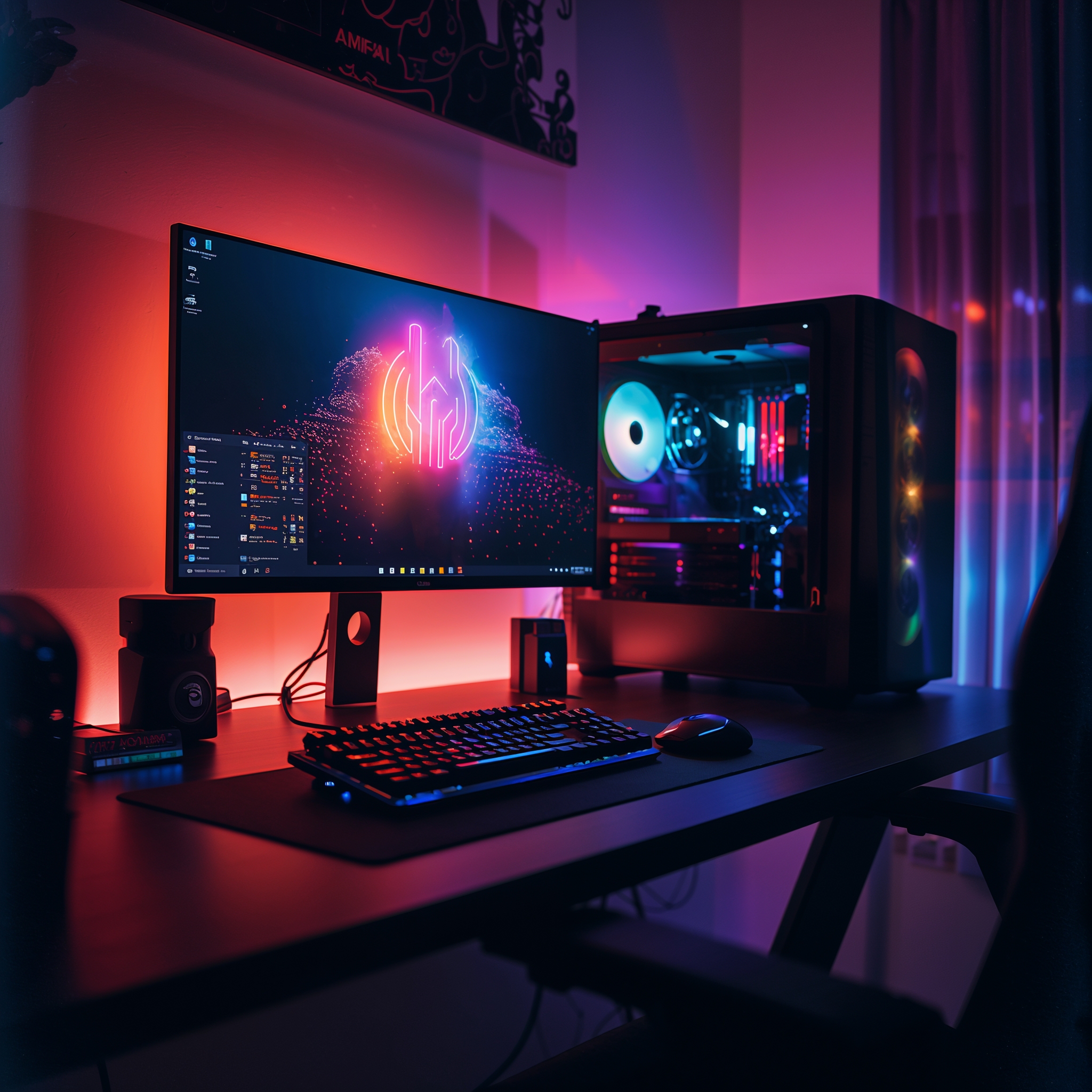
Discover the top 5 best budget gaming PCs under $700. Achieve remarkable gaming performance without overspending. Perfect for gamers seeking quality on a budget.
This blog has affiliate links, and if you buy something through one of those links, the blog may earn a commission at no additional cost to you. A few items showcased may be provided by brands, and some of the content has been made with the help of artificial intelligence and reviewed thoroughly.
Table of Contents
Top 5 Best Budget Gaming PC
Your gaming experience can change completely depending on the hardware you play with. A powerful gaming PC can have great graphics, quick load times, and smooth gameplay. This being said, not everyone can afford a top-tier gaming PC. Luckily, there are a lot of options with excellent performance for a budget price. This article will discuss the five best gaming PCs for each price. This will help meet the gaming needs of anyone, from a casual gamer to someone new to the gaming world.
Summary: This article highlights 5 PCs between $550 and $700. These PCs perform well at 1080p and mention key components to consider for a gaming PC. These components include the CPU, GPU, RAM, storage, and cooling. The best PCs were CyberPowerPC Gamer Xtreme VR, HP Pavilion Gaming Desktop, Dell G5 Gaming Desktop, Acer Aspire TC, and SkyTech Archangel for their overall performance and upgradeability. These models include i3 and i5 processors as well as Ryzen 3 and 5. The GPUs include the GTX1660, GTX1650, and RX5500. Buying tips include significant sales and considering refurbished units.
Considerations When Picking the Best Budget Gaming PC:
Differentiating traits before picking a PC can help you save money while still getting the best bang for your buck.
The CPU (central processing unit)
The CPU (central processing unit) is likely referred to as the brain of your PC. It is vital for processing the instructions of a game and multitasking. When considering a CPU for gaming, look for one with a good balance between the core count and clock speed. The more cores you have, the more instructions a CPU can work with at the same time. The clock speed, or cycles per second, determines how fast each core can execute instructions. In custom budget gaming PC’s, you’ll find that the best performance per dollar is CPUs from Intel’s i3 or i5 line and AMD’s Ryzen 3 or 5 line.
Graphics Processing Units
Graphics Processing Units are essential for rendering to be shown on a display, as well as for playing animations and videos. A reasonable frame rate with detailed and polished graphics is significant for gaming, as it makes the experience feel richer and more immersive. If the game has a lot of content, it is critical to have a good GPU to keep it running smoothly without frame lag. A solid GPU will allow any player to run modern content in the game at a good setting. If you are on a budget for a prebuilt, you should look for something like NVIDIA’s GTX 1650, as it offers decent price performance.
RAM (Random Access Memory)
RAM (Random Access Memory) is what allows you to run more tasks without lag. While there is a lot of debate regarding the appropriate amount of RAM for gaming, 8GB is the minimum, and 16GB is where it can boost the overall performance for running a lot of tasks at once (multitasking) and running smoothly overall (future-proofing). The minimum amount of RAM you should be looking to get in a gaming PC is DDR4, as it is the minimum standard. 16GB DDR4 RAM is recommended for modern budget gaming PCs for value against price.

Load times and storage
Load times for games and programs are primarily determined by computer storage. Over the years, storage technology has changed, and SSDs (Solid State Drives) have come to replace HDDs (Hard Disk Drives) due to their significantly decreased load time capabilities. SSDs allow for faster boot and game launch times. For lower-end gaming computers, the ideal setup is a combination of SSD and HDD. This setup enables the computer to utilize the SSD for the operating system and any frequently played games, while the HDD can be used for ample file storage.
System cooling
While the computers are operating, they are generating heat. Over time, excess heat can lead to a variety of issues down the line for the longevity of the system, including performance throttling and hardware damage. Because of overheating prevention, system cooling is a major determining factor in the overall performance of a computer system. Gaming computers, even at the lower-budget end, come with efficiency-tuned PCs with multiple cooling fans to guarantee a proper airflow. In a higher-priced gaming computer, air cooling can be replaced with liquid cooling. Liquid cooling is generally quieter than air cooling and provides a higher degree of cooling.
There is still more to discuss to finalize our budget gaming computer pick. All of the computers discussed in the next section can be obtained at a reasonable budget while still offering a high level of performance to give the user a quality gaming experience.
CyberPowerPC Gamer Xtreme VR
CyberPowerPC Gamer Xtreme VR falls under the most budget-friendly PCs, but is one of the most powerful performers. This makes the Gamer Xtreme one of the most powerful PCs while also remaining within the entry-level pricing bracket. The i3 and the GTX 1660 make this system able to run most AAA titles on mid to high settings with ease.
Value and Performance
Value and Performance: The CPU is excellent for its price, with its quad-core able to tackle a number of processes. GTX 1660 is also able to run frames on high and maintain a clear picture throughout.
Spec
Spec: 500 GB of SSD and 8 GB RAM in the CyberPowerPC make multitasking a one-click game while also making the booted game have swift loading.
Price and Availability
Price and Availability: $700 is the price point for this machine, which is a very healthy mark for the performance, so overall, the CyberPowerPC Gamer Xtreme VR is a good entry-level PC for anyone to look at for their first PC build or upgrade.
The HP Pavilion Gaming Desktop
The HP Pavilion Gaming Desktop is known for its great-performing hardware. For $600, you get an AMD Ryzen 3 processor and a Radeon RX 5500 GPU, allowing you to play and stream even the most popular games at a good quality without breaking the bank.
Balanced Performance
Balanced Performance: The Ryzen 3 5300 is excellent for multitasking, and pairing it with the Radeon 5500 will get you smooth gaming performance even at 1080p resolutions.
Compact Design
Compact Design: The powerful Pavilion Gaming Desktop still retains a sleek and compact design. The desktop comes with RGB lighting, which is excellent for matching the aesthetic with the rest of your peripherals in your gaming setup.
Great Value
Great Value: Gaming PCs usually come with a hefty price tag and are very costly, especially if you desire a reliable gaming setup. This is a great starting point with a great performing setup to get you started. Dell G5 Gaming Desktop has also been a popular choice with a good performing setup with an Intel Core i5 and Nvidia GTX 1650 for a reasonable price.
Dell G5 Gaming Desktop
Decent Performance
Decent Performance: The i5 10400F chip performs great for gaming and multitasking with the GTX 1650 for managing all games on medium.
Storage and Upgrades
Storage and Upgrades: It converts all types of 1TB HDDs of the G5 Gaming Desktop. Bring games and other media files. Most upgrades are needed for an easy user to use the performance of the system.
Affordable
Affordable: The performance for $650 is decent for other machines on the market and is excellent for gamers on a budget, with a costly machine gaming added. It is a reliable desktop and perfectly fitted.
Acer Aspire TC
This is an excellent machine for gamers, but it doesn’t have extensive, bulky mods; there’s enough space for all parts. A gaming pc configured with an AMD Ryzen 5 processor is an ideal compact AMD Radeon RX 550-550 gaming pc, and it’s compact and strong.
Compact Power
Compact Power: While the RX550 is decent for gaming, its compact system, with strong performance for the size, strong performance, and outstanding for the 3400G, is also a compact gaming system. Gaming system.
User Friendly Design
User Friendly Design: The small physical size of the Aspire TC does not restrict its overall usability. The TC model has a design with easily accessible ports and expansion slots, which helps with upgrades and connections.
Price and Accessibility
Price and Accessibility: The price of $550 for the Aspire TC model is an excellent price for a compact-sized gaming PC. The TC model works well for students or anyone who has a tight desk setup and does not want to lower their performance level.
SkyTech Archangel
SkyTech Archangel adds a gaming PC that can fit a budget setup while not sacrificing any performance. The gaming PC comes with an AMD Ryzen 5 chip and NVIDIA GeForce GTX 1050 Ti, which helps for smooth gaming at a lower price. The Archangel is also one of the better-looking budget gaming PC setups.
Aesthetics
Aesthetics: The design of the Archangel looks good on its own, with customizable RGB lights. They added a good design, suitable for a gaming setup, to an already good overall build for a PC.
Performance + Upgrade
Performance + Upgrade: The 2600 Ryzen 5 processor has excellent performance, with multitasking even easier to do. The GTX 1050 Ti extends the possibility of running new games. The overall design of the system has shown ease in making upgrades to the performance level.
Cost-Effective Gaming
Cost-Effective Gaming: Priced around $600, the SkyTech Archangel is a good value in terms of price, performance, and appearance, and is a good choice for gamers who want an inexpensive, impressive-looking, and good-performing pc.
Budget gaming pc shopping strategies
There are a few budget gaming pc shopping strategies to get the most out of your deal.
Discounts from retailers are a common occurrence during shopping events and holidays such as Black Friday, Cyber Monday, and back-to-school sales. These deals are likely to get you a good pc for the money. Signing up for major retailer newsletters to get advanced sales and promotion tracking info will be to your advantage.
Refurbished PCs are a great value as they are tested and certified to work like new, and come with warranties. When you buy a refurbished PC, make sure you are purchasing from a reputable seller or from the manufacturer directly.
If you’re working with a tight budget, you could always start with a basic layout and, with time, upgrade components one by one, like the RAM or storage. This way, you can begin building a powerful gaming PC at a lower price, and work your way up depending on your needs. Many lower-budget PCs are built with upgradability in mind, so it is easy to boost performance as your budget increases.
Conclusion
It’s not difficult to find the best budget gaming PC. With an understanding of essential gaming PC components, comparing them to other models helps narrow it down to a gaming PC that suits performance and budget. Each gamer PC, whether it be CyberPowerPC Gamer Xtreme VR or the fashionable SkyTech Archangel, is capable of good gaming. Enjoy!
FAQ
Q: Of the listed options, which has the strongest out-of-the-box 1080p gaming performance?
In short, of the options listed above, CyberPowerPC Gamer Xtreme VR is the strongest. It’s Intel Core i3-10100F and paired with the Nvidia GeForce GTX 1660, which runs most modern games on at least medium to high settings without a hitch. The other strong 1080p performer is the HP Pavilion Gaming Desktop, with a Ryzen 3 5300G and Radeon RX 5500, but if you want more headroom for higher settings, the GTX 1660 in the CyberPowerPC is likely to outperform the other options.
Q: What is better, 8GB of RAM or 16GB of RAM?
8GB of RAM is the minimum you want. It will work for low-end budget gaming, but 16GB of RAM would work better and significantly improve the performance, multitasking, and overall longevity of the system. This guide values DDR4 RAM, which is standard for budget, entry-level PCs, and many of the systems in the entry-level class (like the Dell G5, SkyTech Archangel, and Acer Aspire TC) offer easy upgrades. Upgrading the RAM is a high-impact and straightforward change to make when extra budget is available.
Q: What is more critical for budget gaming, the CPU or the GPU? And which families should I target?
The short answer is that the GPU is more important for the overall gaming experience, but a CPU needs to achieve a good balance of core count and clock speed to achieve a smooth experience overall. A good CPU is in Intel’s i3/i5 or AMD’s Ryzen 3/5 families, while a good GPU for 1080p gaming is AMD’s RX 5500 or Nvidia’s GTX 1650. Among the selections, a pairing like i3 with GTX 1660 or Ryzen 3 with RX 5500 achieves a good balance of performance with value.
Q: When considering budget PC storage, should I buy SSDs or HDDs?
Answer: SSDs have faster overall performance, including quicker boot and load times. However, HDDs come with cheaper and more abundant storage space. Therefore, the most cost-effective solution is the hybrid approach. You place the OS and the most played games on the SSD, while the heavy bulk storage sits on the HDD. An example in this roundup is the CyberPowerPC with its fast 500GB SSD, while the Dell G5 has a 1TB HDD and is made with easy upgrades in mind, including SSD additions.
Q: When is the optimal buying time? Are refurbished computers a good option?
Answer: Major sales like Black Friday and Cyber Monday, as well as back-to-school time, are the best opportunities to buy higher spec systems at a lower price. Refurbished computers are also an option, as they are fairly tested, have working components, and have a warranty. When buying, choose reputable sellers or the manufacturer to guarantee good product quality and reliable customer support.